MoTeC Display Configuration
Custom layout design and CAN network integration for MoTeC C-series displays. Remote configuration for circuit, track, and endurance applications.
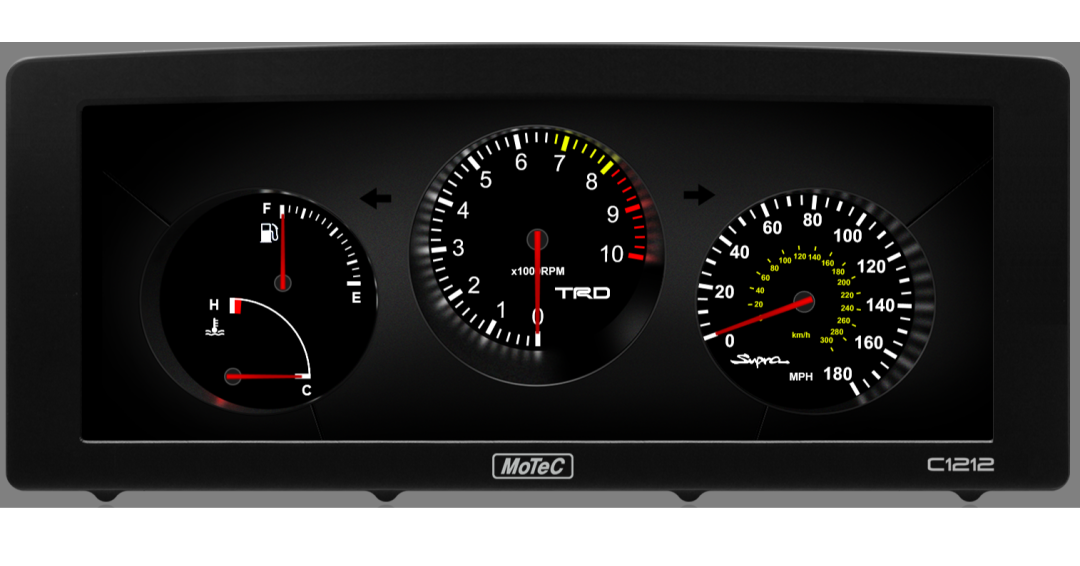
MoTeC C-series displays are capable enough that most people running them are using a fraction of what they can do. Getting the most out of one requires knowing the Display Creator and Dash Manager software, understanding what data the ECU is putting on the CAN network, and having a clear picture of what the driver needs to see and when.
I do this work remotely. You send me your ECU platform details and what you want the display to do, I build the configuration, you flash it and verify.
What does MoTeC display configuration involve?
Custom Layouts
What channels are displayed, where, at what update rate, in what format. Designed for the specific application — a circuit car has different display priorities than a drag car or a rally car.
Alarm Configuration
Which conditions trigger alarms, at what thresholds, with what visual and audible priority.
Math Channels
Derived values calculated from raw sensor data.
Logging Setup
C-series displays have onboard logging options. Configuring what gets logged, at what rate, and setting up triggers so you're capturing the right data without filling storage with idle time.
CAN network integration — making sure the display is receiving data correctly from the ECU, and optionally from other devices on the network. For full CAN network integration work, see the dedicated service page.
Which MoTeC displays do you configure?
Authorized MoTeC dealer. Hardware available through the shop.
Mitsubishi Evo X / Ralliart MoTeC Dash Kit
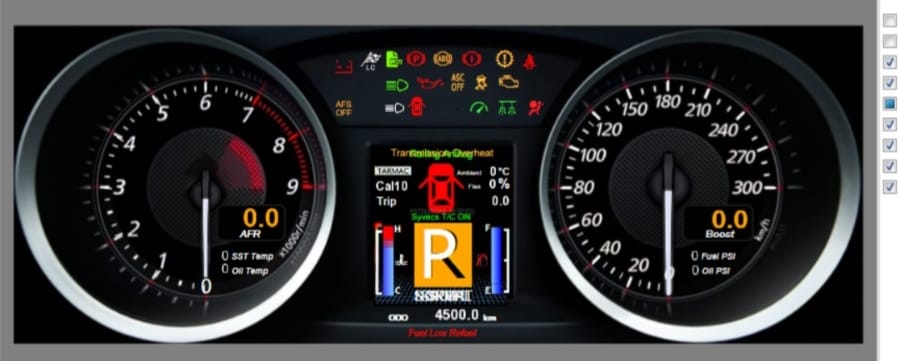
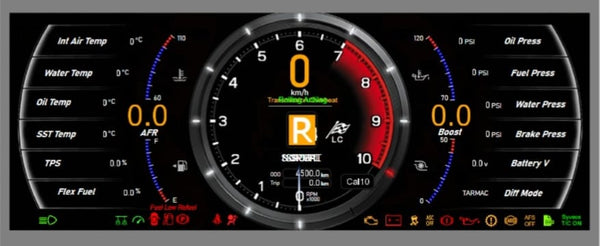
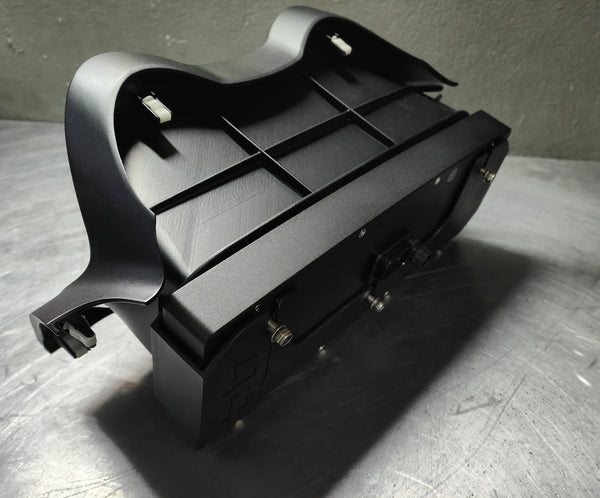
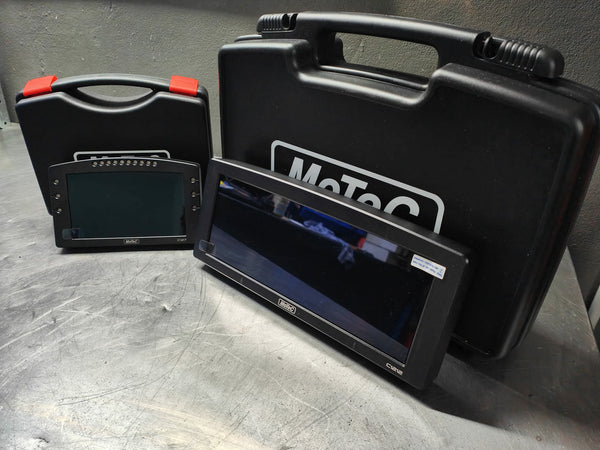
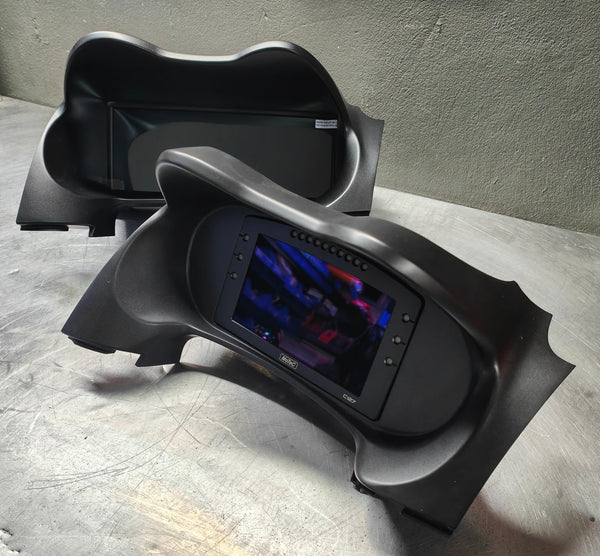
Developed in partnership with RP Motorsports (Australia), this plug-and-play dash kit replaces the OEM instrument cluster with a MoTeC C127 or C1212 display — retaining full OEM CANbus functionality while adding motorsport-grade data and display capabilities.
What's Included
- Choice of C127 (7″) or C1212 (12″) display
- Dash Creator licence pre-installed
- Custom plug-in wiring harness — connects to OEM dash plug
- RPM 4-page Dash Creator configuration
- 3D-printed OEM-fit dash surround
- Two momentary switch inputs wired (page change / alarm reset)
- Installation instructions
- US-based programming and customer support via Optimum Engine Mapping
OEM CANbus Integration
Both dashes use two CAN inputs — one for ECU CANbus (Syvecs or MoTeC), one for OEM CANbus. The OEM bus carries lights (high/low beam, indicators, hazards, auto), cruise control, water spray, traction control, door status, seatbelt, handbrake, ABS, charging system, SST transmission status and overheat, and fault codes. Fuel level is routed through the ECU via a voltage input and transmitted over ECU CANbus to the display.
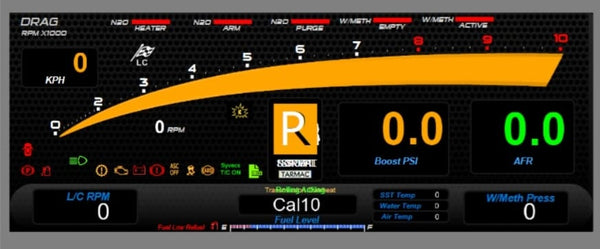
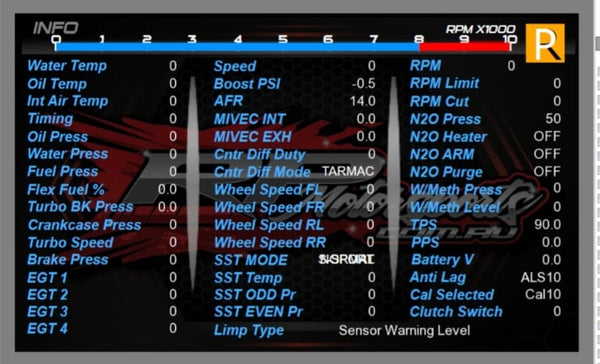
Four pre-configured pages: OEM-style main page, secondary data page, drag-style page, and a full-channel diagnostic page. The C127 includes 16 configurable LED shift lights; the C1212 uses icon overlays and full-screen flash alerts.
ADR-approved in Australia — factory odometer reading can be transferred by MoTeC. Minor and major fault codes are handled as per OEM behaviour. Nitrous and water/methanol injection channels are included in the base configuration.
Pricing varies by display model and configuration. Contact us for a quote — we handle hardware supply, programming, and support.
Request a QuoteLooking for MoTeC Hardware?
Optimum Engine Mapping is an authorized MoTeC dealer. Browse displays, ECUs, and accessories.
Ready to Get Started?
Contact us to discuss your display configuration. Remote setup available worldwide.